

7 Microsoft 365 Administration Services Small Businesses Should Look For
Microsoft 365 administration is the ongoing management of identity, security, data, and collaboration tools within a business tenant. Small businesses often struggle to keep these systems secure and efficient without dedicated IT staff. The right administration services ensure that your email, files, and user accounts remain protected and fully functional.
1. Identity and Access Management
Strong identity controls are the first line of defense against unauthorized access. Identity and access management is the process of verifying user identities and granting appropriate permissions to resources. This includes managing user lifecycle events, such as onboarding new employees and offboarding departing staff. Proper management ensures that former employees do not retain access to sensitive company data.
2. Multi-Factor Authentication Enforcement
Requiring multiple verification steps significantly reduces the risk of account compromise. Multi-factor authentication is a security method that requires users to provide two or more verification factors to access accounts. Small businesses should enforce MFA for all users and administrators to protect against phishing and credential theft. This service ensures that even if a password is stolen, the attacker cannot easily access the account.
3. Email Security and Phishing Protection
Advanced filtering stops malicious emails before they reach user inboxes. Email security is the practice of protecting email systems from threats like phishing, malware, and business email compromise. Administration services should include tuning spam filters and configuring anti-phishing policies. This helps prevent users from clicking on malicious links or downloading harmful attachments.
4. Data Backup and Recovery
Regular backups ensure that critical business data can be restored after an incident. Data backup is the process of creating copies of important files and system configurations to protect against loss. Small businesses need a reliable backup strategy that covers OneDrive, SharePoint, and Exchange mailboxes. A good administration service includes regular restore testing to verify that backups are actually usable.
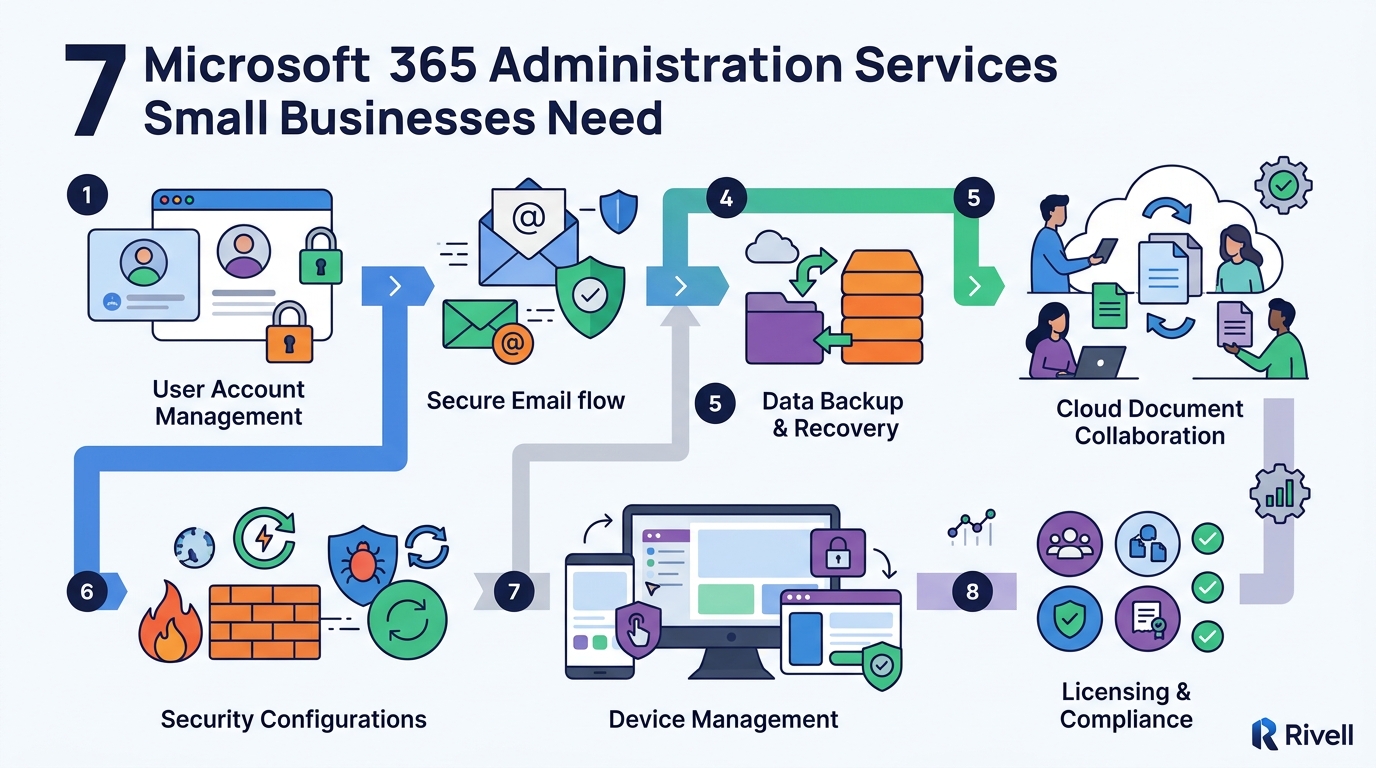
5. Compliance and Retention Policies
Automated retention rules help businesses meet legal and regulatory requirements. Compliance management is the practice of ensuring that data handling aligns with industry standards and laws. This involves setting up retention labels and policies that automatically delete or archive data after a specified period. For small businesses in regulated industries, this service is critical for avoiding penalties and maintaining trust.
6. Device Management and Endpoint Protection
Managing devices ensures that all hardware connecting to the network is secure. Device management is the administration of endpoints, such as laptops, tablets, and mobile phones, that access Microsoft 365 services. This includes enforcing security policies, tracking device health, and remotely wiping data if a device is lost or stolen. Effective device management reduces the attack surface for your organization.
7. Ongoing Monitoring and Incident Response
Continuous monitoring allows for the early detection of suspicious activity. Incident response is the coordinated effort to detect, analyze, and mitigate security threats in real-time. Administration services should include 24/7 monitoring of tenant activity and rapid response to potential breaches. This proactive approach minimizes downtime and prevents minor issues from escalating into major security incidents.
Choosing the Right Administration Services
When selecting a provider, prioritize services that align with your specific business risks and compliance needs. Look for a partner that offers a comprehensive approach rather than isolated tools. Ensure that the provider can demonstrate expertise in both security and operational efficiency.
Frequently Asked Questions
Why is Microsoft 365 administration important for small businesses?
Small businesses are frequent targets for cyberattacks because they often lack dedicated IT security teams. Professional administration ensures that security controls are properly configured and maintained, reducing the risk of data breaches and operational disruptions.
What is the difference between Microsoft 365 and Office 365?
Office 365 was the original name for the cloud-based productivity suite. Microsoft 365 is the current branding that includes Office apps, security tools, and device management. The term Microsoft 365 administration refers to managing this broader ecosystem of services and security features.
How often should I review my Microsoft 365 security settings?
Security settings should be reviewed at least quarterly or whenever there is a significant change in your business environment. Continuous monitoring by a managed service provider is recommended to catch issues in real-time rather than waiting for a scheduled review.
Can I manage Microsoft 365 myself without a provider?
Yes, but it requires significant time and expertise. Many small business owners find that the complexity of security and compliance is too much to handle alongside running their business. Outsourcing to a managed provider allows you to focus on core operations while experts handle the technical details.
What are the key benefits of using a managed service provider for Microsoft 365?
Managed service providers offer 24/7 monitoring, specialized expertise, and proactive security management. They help small businesses achieve enterprise-level security without the cost of hiring a full-time IT security team. This approach also ensures faster response times to potential threats.
How does Rivell support small businesses with Microsoft 365?
Rivell provides comprehensive managed IT services and cybersecurity for New Jersey businesses. Since 1997, Rivell has helped organizations secure their technology infrastructure and maintain operational stability. Their team offers proactive oversight of Microsoft 365 environments to ensure security and efficiency.